

Remote Repositories
Last updated on 2026-04-30 | Edit this page
Overview
Questions
- How do I backup a repository?
- How do I share a repository with other people?
Objectives
- To understand how to create a repository on a web service
- To understand how to download a repository from a web service
What, exactly, is a repository?
A git repo has two parts:
a .git directory full of special files
the working tree, the current state of your project and files on disk
If you share the .git directory, you share the entire repo history
To backup the repo, just need to backup .git
Making a repo on Github
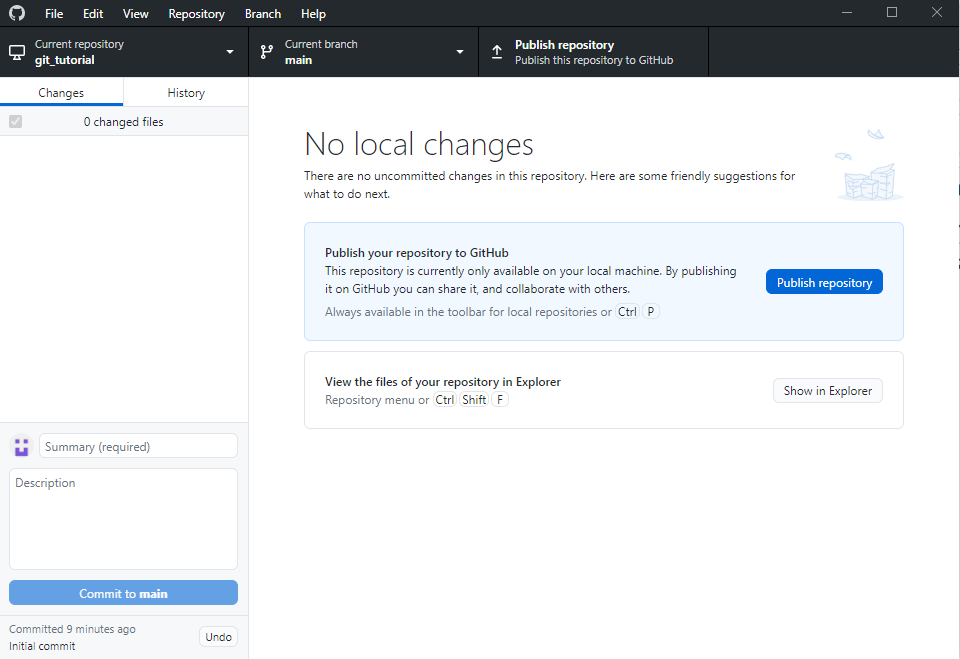
Now click this!
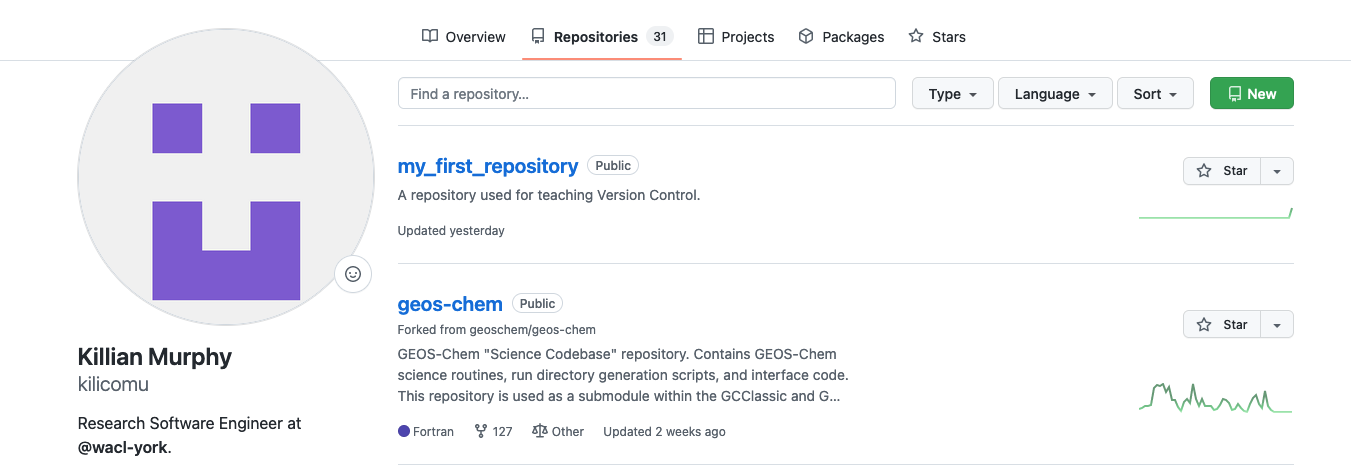
- Navigate to https://github.com/your-username
- Select the
Repositoriestab - Select the green
Newicon - Don’t add a
READMEor.gitignore - Make it
publicrather thanprivate, will simplify things later! - From the front page of your new repo, press the green
Codebutton and copy the URL - Paste it into the following command:
This creates a reference in your copy of the repository to an
origin repository on GitHub
Pushing Your First Commit
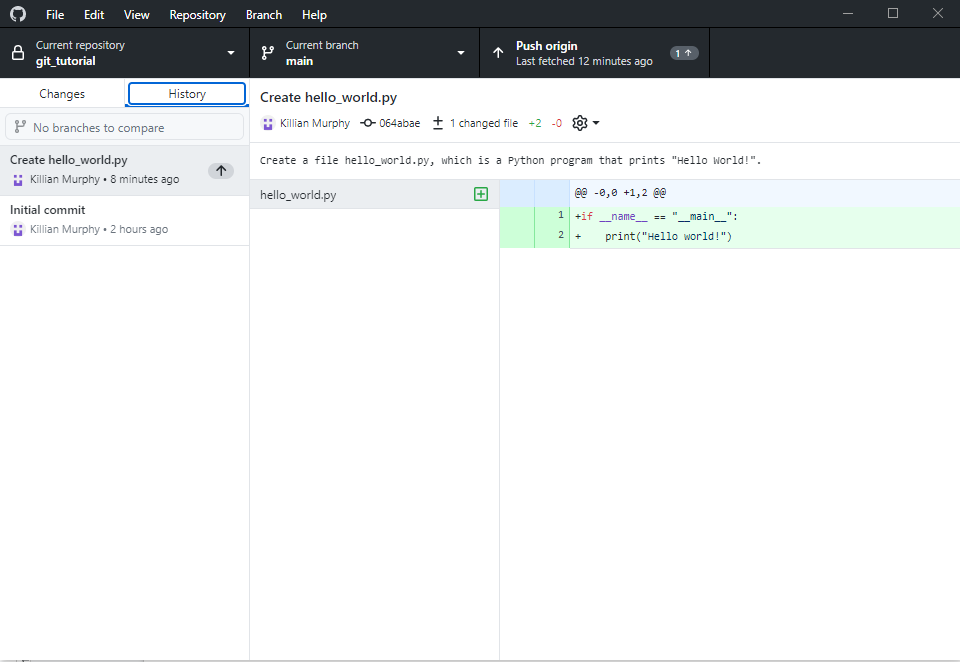
Guess what we’re going to press?
Your repository is now on GitHub:
https://github.com/<username>/<repo-name>. This
means it is:
- Backed up!
- Easily shareable !
- Easily accessible from other machines!
Now delete the whole project from your computer using the file
explorer / finder / rm command
Cloning Your Repository
- Getting your code and all of its history back is as easy as a few button clicks
- Once it has finished cloning, we should be back to where we were before deleting
- You can clone other GitHub users’ public repositories too!
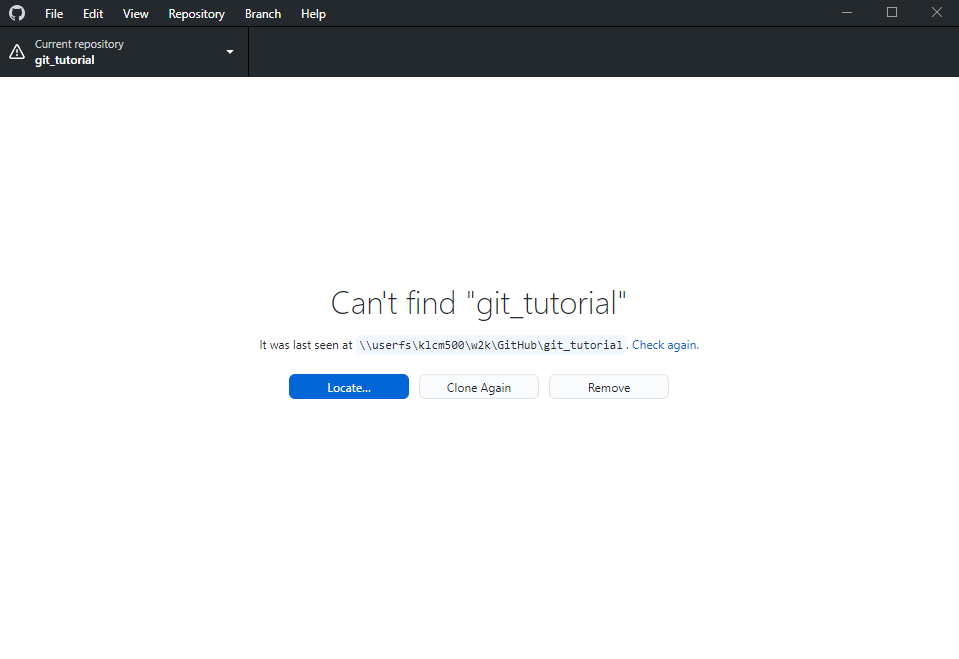
Click “Remove”
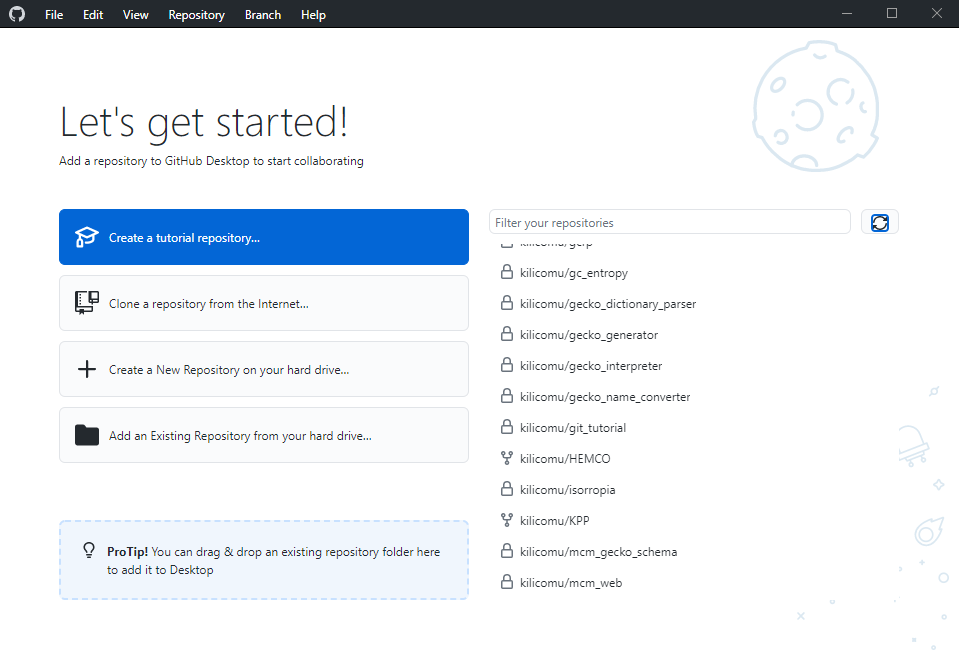
Then this
Making More Changes
- Go ahead and make some more commits to your repository:
- Fix that typo, and some more things you’ve learnt how to do
- On the command line, don’t forget the two-step dance: add, then commit
- Make sure to push commits when you’ve made them!
- You don’t have to push after every single commit, as long as you remember to push at some point
- Think and chat about the way you like to work and how that might map onto version control history:
- Do you work in big chunks and then sign off for the day?
- Do you often switch tasks and have trouble figuring out where you were when you left off?
- Do you program first and plan later? Or the other way around?!
- Ask any questions you’d like!