

Introduction
Last updated on 2026-04-29 | Edit this page
Overview
Questions
- What are the goals of this course?
Objectives
- To understand the learning outcomees of this course
- To understand the structure of the practicals
What is Version Control?
Any means by which you track changes to something:
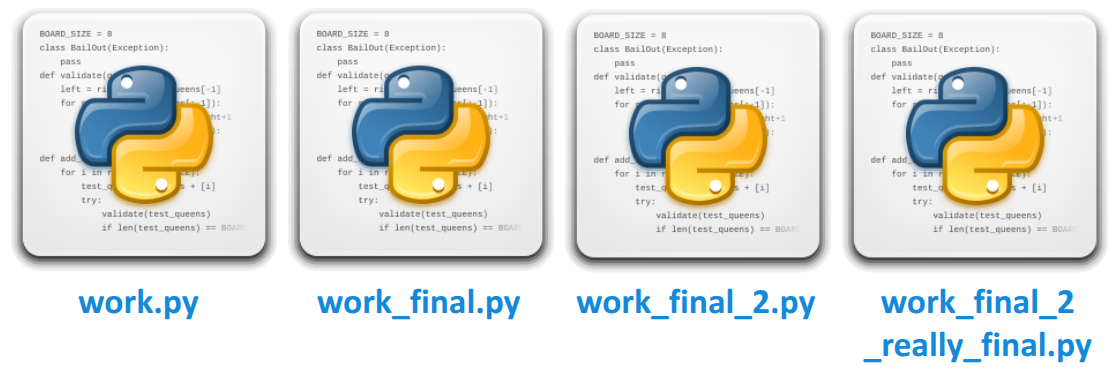
Is this effective version control?
What is Version Control?
- Structured way of keeping track of changes to files
- Implemented in different "version control systems" (VCS)
- Typically share the concept of a history, the changes which make up the history , and the ability to move freely back and forth within the history
- The most popular VCS is git , which we will be focusing on today
Why Version Control?
- Keeps a labelled history of all changes made to a project, and lets you rewind them if something goes wrong
- Lets you experiment with changes to a project whilst keeping stable versions of the project untouched
- Provides lots of convenience features for working with other people on a project
- Can act as a backup of your projects, especially when using a hosted service like GitHub
- Many tools (like IDEs) have git integrations
What is git?
- A specific version control system, created by the guy who created the Linux kernel (the myth goes that he named it by his personal reputation)
- A "distributed" version control system - many people can have copies of the stuff under version control and they don’t need to all be in sync
- One of the most important programming tools you can benefit from becoming comfortable with
What is GitHub?
- A service for hosting, organising, and collaborating on projects that are under version control
- Other git services are available
- Provides a consistent way to store and share version-controlled projects
- Can act as a portfolio of sorts
- Has a whole host of other features (project management, continuous integration, etc.)
- See the PlasmaFAIR GitHub organisation for an example

Git Glossary: Basics
- Repository (repo) : a project under version control
- History : timeline of changes to your repo
- Clone : make a local copy of a repo, including its history
- Commit : a labelled set of specific change to files in your repo
- Push / pull : synchronise history with another copy of your repo
- Working tree : the current state of your project and files on disk
- Track : keep under version control