

The Basics: Working Alone
Last updated on 2026-04-30 | Edit this page
Overview
Questions
- How do I get a project under version control?
- How do I track changes to a set of files?
Objectives
- To understand how to create a new git repository
- To understand how to create new commits
Creating Your First Repository
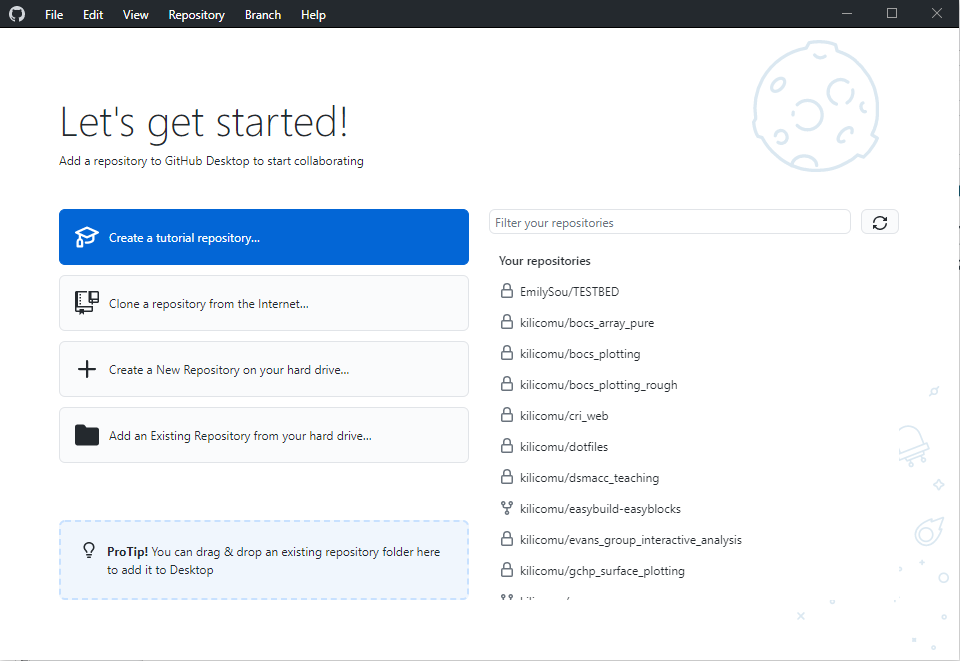
GitHub Desktop view
Click “Create a new Repository on your hard drive”.
- Description: a one-line description of the repository contents
- Privacy: the visibility of your repository - just you or anybody?
- Organisation: the ownership of your repository - you or some organisation (e.g. university-of-york) that you are a member of?
Typical files in any project
- README.md: A file describing the project you have under version control. Typically written in Markdown and is nicely rendered on the GitHub page for your repository
- .gitignore: A file describing the things in your repository that you don’t want to track
- License: a document describing the rights and permissions you grant to others who may wish to use your software
Adding first file
- Use your favourite text editor to create
README.md
MARKDOWN
# Learning Git

Here's our todo:

- [x] Create a new file
- [ ] Make our first commit
- [ ] Fix this tpyo
Aside: It is a Very Good Idea to have a
README in all your projects that lets people know:
- what/who the project is for
- basic instructions on how to use the project
All git web services will show the README as a landing
page for the repo
- Take a look at what happens in the GitHub desktop window
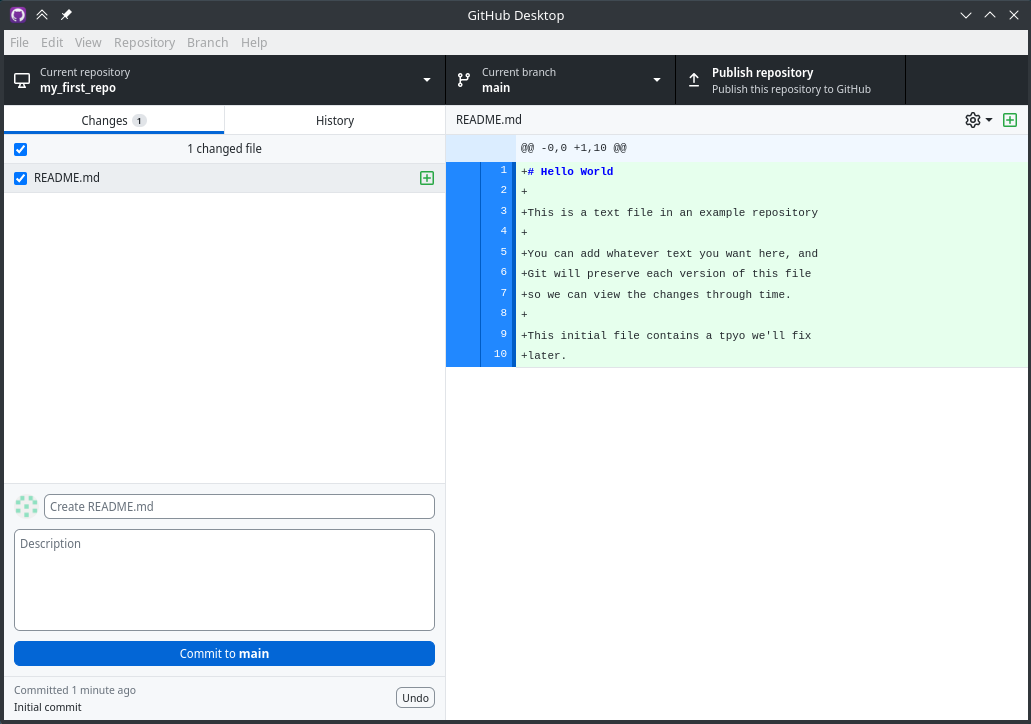
GitHub Desktop diff view. In the left hand
panel, there’s 1 changed file with our arrow pointing to it. In the
right hand panel, there’s a diff showing the new file
File status (added in this case)
Our changes
- Add a commit label and a commit message to the box
- A nice way to think about commit labels is that they should concisely complete the following sentence: “[This commit will…]”, for example: “[This commit will…] Create README.md”
- The commit message can contain as little or as much as appropriate to help you and others understand what the change consists of (be kind to Future You!)
- Best practice is to keep first line short, like an email subject line, and optionally a longer explanation below, separated by a blank line
- How frequently should you commit? What should be in a commit?
Viewing history
- Switch over to the “History” tab (View > History)
- You should be able to see your recent commit and its details
- Right now, this exists only on your computer
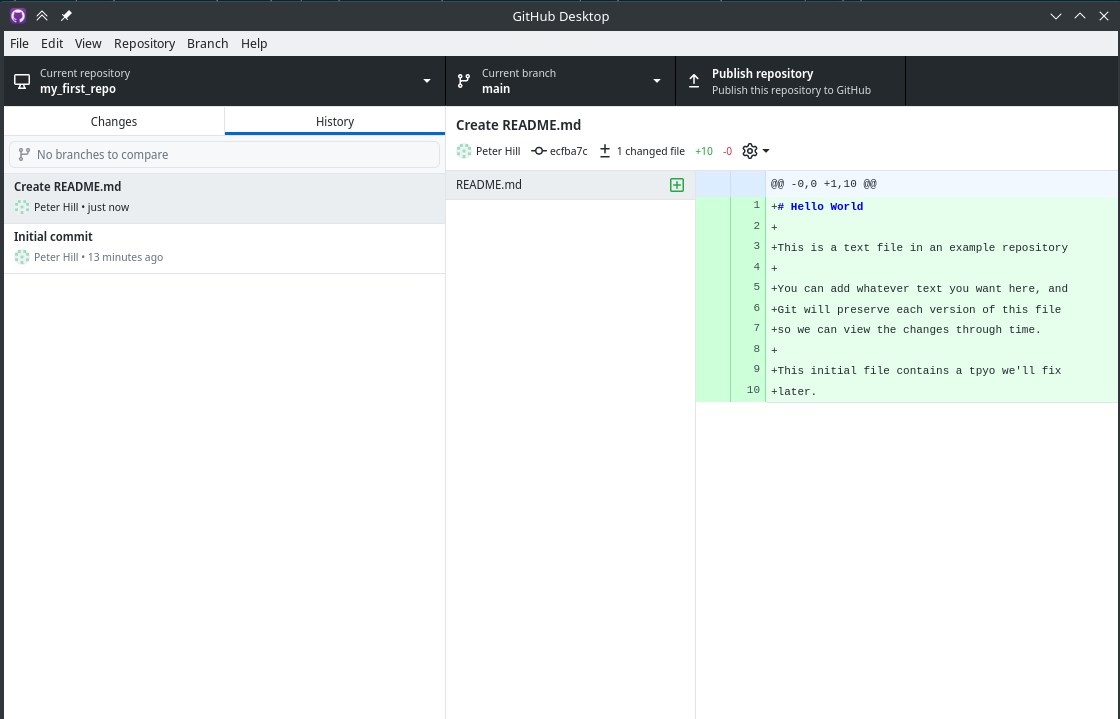
GitHub Desktop view
Making Changes
- Let’s check off the second item in our todo:
MARKDOWN
# Learning Git

Here's our todo:

- [x] Create a new file
- [x] Make our first commit
- [ ] Fix this typo- Before you commit it, let’s look at the diff…
DIFF
diff --git a/README.md b/README.md
index b277f80..ea21a73 100644
--- a/README.md
+++ b/README.md

@@ -3,5 +3,5 @@

 Here's our todo:

 - [x] Create a new file
-- [ ] Make our first commit
+- [x] Make our first commit
 - [ ] Fix this tpyo
This line has been removed
This line has been added
This header is because diff is a more general tool for comparing text files
This line shows the line number and context (e.g. function name)
Git commands in the GUI
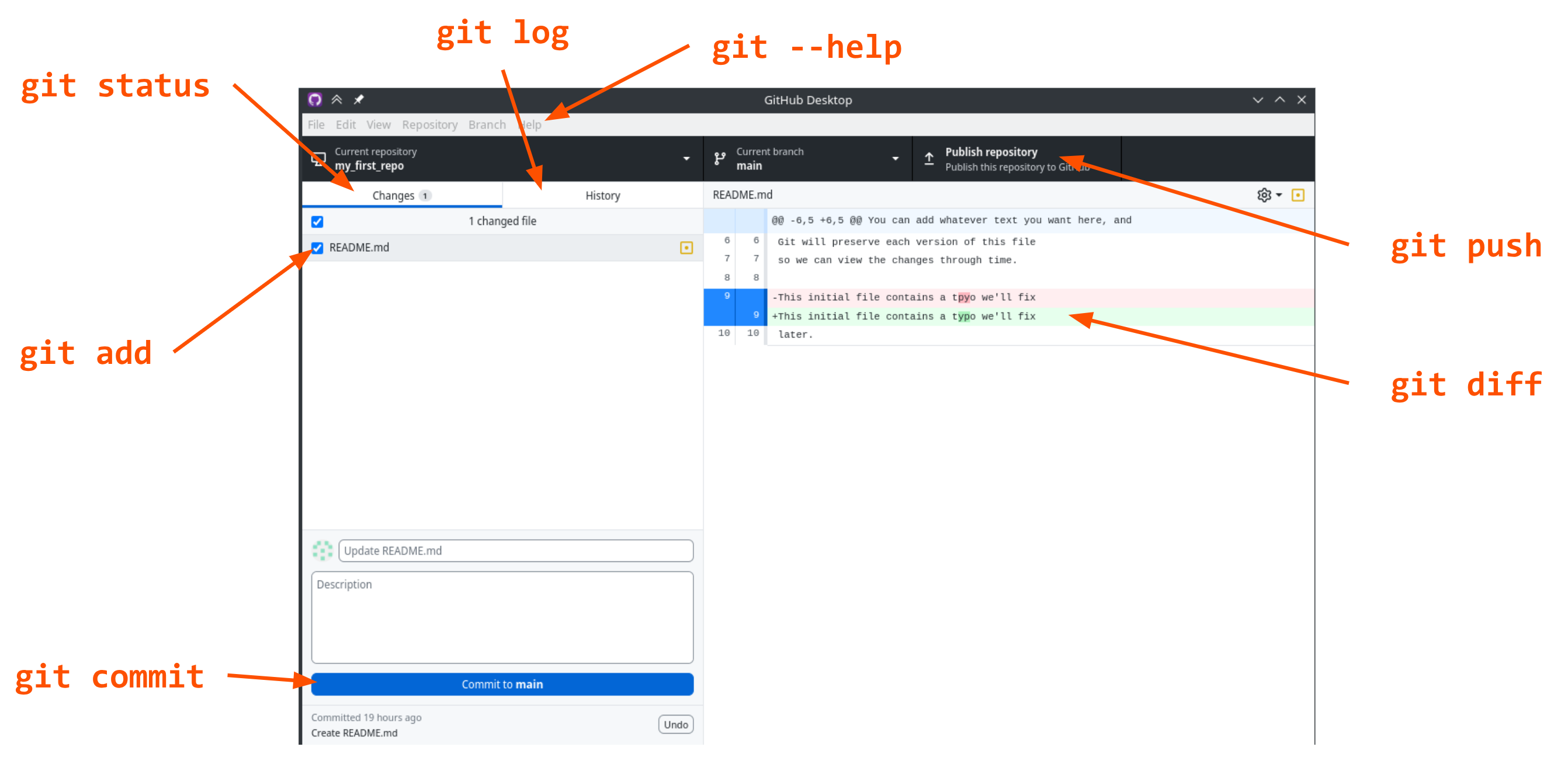
git statusgit addgit commitgit loggit diffgit pushgit --help
Commit messages
Does the screenshot above have a good suggestion for a commit message?
No! It doesn’t tell us anything about the actual changes.
Making More Commits
- What makes a good commit?
- Atomic — does a whole thing, not part of a thing
- Orthogonal — does one thing at a time, not lots of things
- These principles make it easier:
- to understand the history of a repo
- undo a change
- Examples:
- Add a whole new feature
- Fix a bug
- Fix all instances of the same bug?
- Should we fix the typo at the same time or not?
- Now go ahead and a dd the file and commit it
- What would a good commit message be for this change? Discuss